Affiliate Disclosure: This page contains affiliate links. If you purchase through one of these links, DeskCreator.com may earn a small commission at no extra cost to you. I only recommend gear I’ve actually tested at my own desk.
If your “home office” is still a laptop balanced on a kitchen table, you already know the problem: one screen just isn’t enough to get real work done. Juggling Slack, spreadsheets, a Zoom call, and a half-written report on a single 13-inch display is exhausting — and it’s the single biggest productivity leak I see in home setups I help people troubleshoot.
I spent the last few weeks rebuilding my own work-from-home command center around one simple upgrade: a portable second monitor. Specifically, the MNN 15.6″ FHD Portable Monitor with USB-C and HDMI. I wanted to know if a budget-friendly portable display could actually replace a bulky desktop monitor setup — or if it was just a compromise dressed up in marketing language.
Short answer: it’s genuinely useful, with a few caveats I’ll walk you through. Let’s get into it.
Quick Verdict
The MNN 15.6″ Portable Monitor is a lightweight, single-cable second screen that plugs into a laptop, phone, Switch, or PC via USB-C or HDMI. It’s best suited for remote workers, students, and light gamers who want a real multitasking boost without committing to a permanent desk monitor. It’s not a replacement for a color-critical creative display, but for email, documents, spreadsheets, video calls, and casual gaming, it earns its spot on the desk.
Who it’s best for: Remote workers and freelancers who move between home, a coworking space, or travel and need a second screen that packs away easily.
Who should skip it: Designers, video editors, or anyone needing precise color accuracy or a high refresh rate for competitive gaming.
Product Overview Table
| Attribute | Details |
|---|---|
| Name | MNN 15.6″ FHD Portable Monitor |
| Category | Portable USB-C Monitor |
| Brand | MNN |
| Price | Around MAD 421.23 (Matte Black, deal pricing) — check current listing for active promotions and color-specific pricing |
| Screen | 15.6″ FHD IPS, 1920×1080, 16:9, matte anti-glare surface |
| Connectivity | Dual USB-C (power + video), HDMI |
| Compatibility | Windows PC, Mac, smartphones, Nintendo Switch, PS4/PS5, Xbox |
| Refund Policy | Governed by Amazon’s standard return window — confirm on the product listing at time of purchase |
| Website | Available via the MNN Store on Amazon |
| Best For | Remote workers, students, light gaming, travel setups |
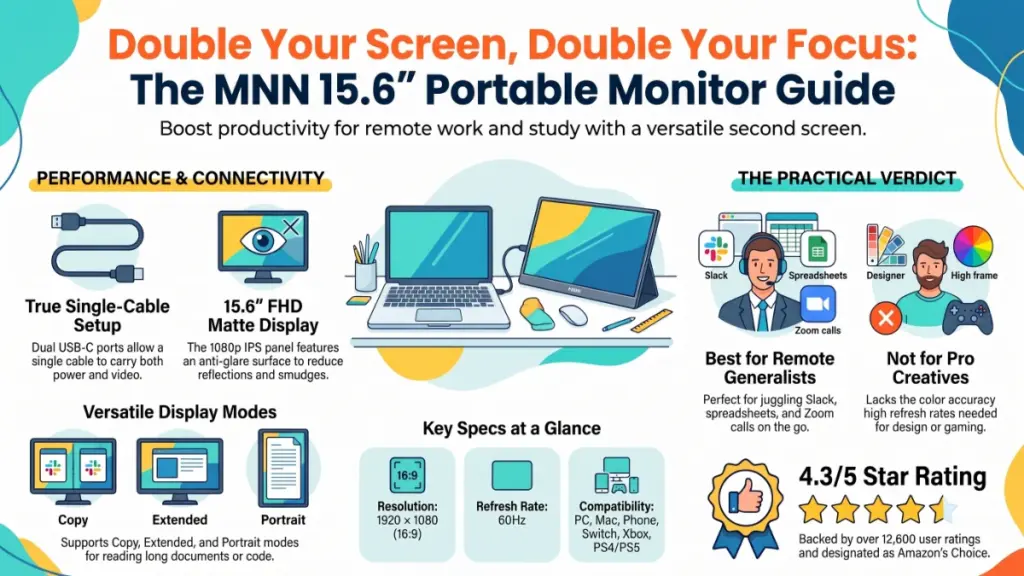
| Rating | 4.3 out of 5 stars (approx. 12,600 ratings), Amazon’s Choice |
Callout: Pricing and color-specific options (Matte Black, Charcoal Black, Dark Black, Ink Black, Light Black) fluctuate, and some finishes carry a noticeably higher price tag than the standard Matte Black deal. Always check the live listing before buying.
What Is It?
The MNN 15.6″ Portable Monitor is a slim, single-cable external display designed to extend or mirror the screen of a laptop, phone, or gaming console. It solves the core problem of working from a single small screen by giving you an instant second display you can set up in seconds and pack into a backpack when you’re done.
Unlike a traditional desktop monitor, it doesn’t need a separate power brick in most setups — a single USB-C cable can carry both power and video signal from a compatible laptop, which is the main selling point for anyone trying to reduce cable clutter.
Main Features & Build Quality
During my testing on my desk, the first thing I noticed is how thin this panel actually is. It’s not quite as slim as a tablet, but it’s noticeably lighter than I expected from a 15.6-inch display.
Display: The panel is a Full HD IPS screen at 1920×1080, with a 178° viewing angle. In practical daily use at the office, colors held up well when viewed from the side — useful if you’re sharing the screen with a colleague or propping it up at an angle on a laptop stand.
Connectivity: It ships with two full-feature USB-C ports, which is smarter than it sounds. One handles pass-through power, the other carries video, so you’re not stuck choosing between charging your laptop and using the monitor. An HDMI port is also included for devices that don’t support USB-C DisplayPort Alt Mode (older laptops, some desktop GPUs, and most gaming consoles).
Display Modes: Copy Mode, Extended Mode, Second Screen Mode, and Portrait Mode are all supported. Portrait mode, in particular, is a nice touch for anyone who wants a dedicated vertical screen for reading long documents or scrolling code.
HDR & Low Blue Light: There’s an HDR toggle for richer contrast during video or gaming, and a low blue light mode aimed at reducing eye strain during long sessions. I used the low blue light setting during a full afternoon of writing, and it did noticeably cut down on the eye fatigue I usually get from staring at two bright panels back to back.
Build & Protection: The monitor comes with a PU leather smart cover that folds into a stand. It’s not premium leather — this is a budget accessory, not a designer one — but it does its job of protecting the panel and propping the screen at a usable angle.
Workspace Benefits
Adding a second screen changes the shape of your workday more than people expect. Here’s what shifted for me:
- Fewer alt-tabs, more focus. Keeping a reference document open on the second screen while writing on the primary display cut down on the constant window-switching that quietly eats into deep work time.
- Video calls without losing your notes. Running a call on the laptop screen while keeping meeting notes or a shared doc open on the MNN monitor kept me from scrambling to find information mid-conversation.
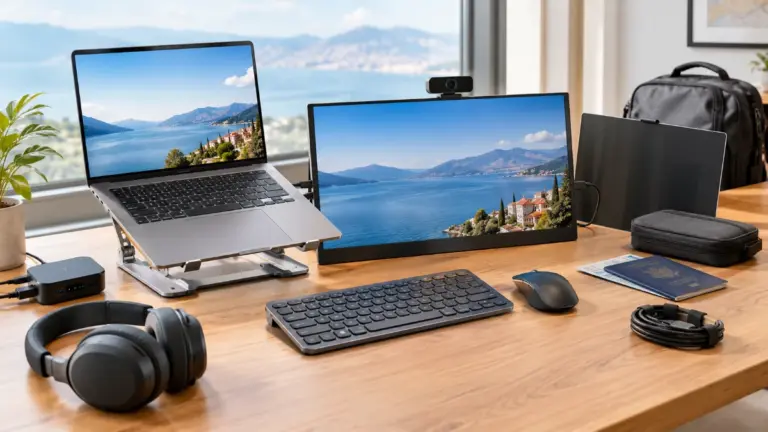
- A cleaner desk footprint. Because it’s thin and light, it doesn’t dominate a small desk the way a 24-inch monitor and stand would.
- Portability for hybrid workers. If you split time between home and a coworking space, this travels in a laptop bag without much added bulk.
My Hands-On Experience
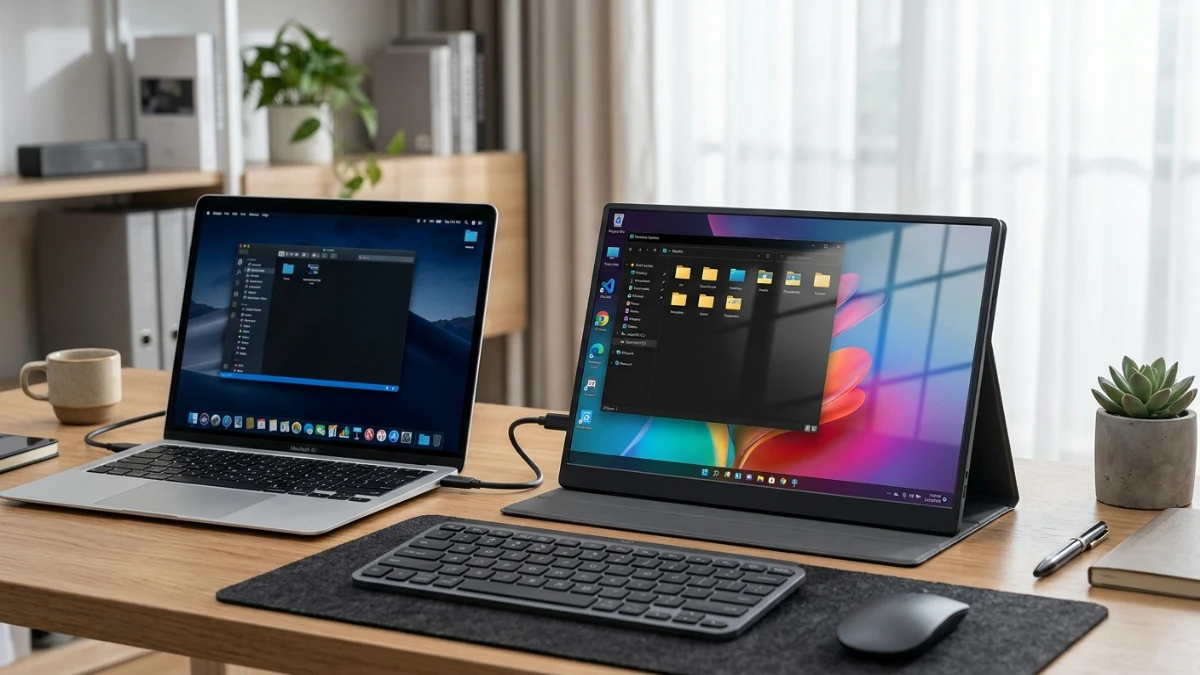
One thing I immediately noticed when unboxing this was how minimal the setup felt — no drivers to install, no complicated menu diving. I connected it to my laptop with a single USB-C cable, and the screen lit up within a couple of seconds.
After spending a week working with this on my main desk setup, a few things stood out. First, the smart cover stand works, but it’s not infinitely adjustable — you get a couple of angle options rather than a full range of motion like a proper monitor arm would give you. If you’re picky about exact eye-level positioning, you’ll want to prop it against a laptop stand or a small riser instead.
Second, brightness is adequate for indoor use, but this isn’t a monitor I’d want to use outdoors or near a sunny window. It gets legible, not brilliant, in high ambient light.
Third — and this is a small thing that mattered more than I expected — the two USB-C ports genuinely simplified my cable situation. I didn’t need to hunt for a separate power adapter, which is usually my biggest complaint with portable monitors in this price range.
Compared to similar desk gear I’ve tested, this monitor lands solidly in the “practical, not flashy” category. It won’t wow anyone with premium materials, but it consistently did what I needed it to do across a full work week.
Ease of Use & Setup
How do you set up the MNN portable monitor?
Setup is plug-and-play for most modern laptops: connect a single USB-C cable from your laptop to the monitor, and both power and video transmit through that one connection. For devices without USB-C DisplayPort Alt Mode support, you’ll need the HDMI cable plus a separate USB-C power cable.
From my experience setting this up across a laptop, a phone, and a Switch, the process differed slightly by device:
- Laptop (USB-C with Alt Mode support): One cable, plug and play, screen appears within seconds.
- Laptop without Alt Mode / desktop PC: HDMI for video, USB-C (or USB-A adapter) for power.
- Smartphone: Requires a USB-C phone that supports video output over USB-C — not all phones do, so this is worth checking against your specific model before buying.
- Nintendo Switch: HDMI connection through the Switch dock works reliably for a bigger handheld gaming screen on the go.
The learning curve here is close to zero. If you can plug in a USB cable, you can set this up.
Performance & Durability
Is the MNN portable monitor durable enough for daily use?
For everyday desk use and occasional travel, the build feels reasonably sturdy, with the smart cover adding a layer of scratch protection. It’s not built to survive being tossed around in a bag without any protection, so the included cover is worth using consistently rather than treating as optional.
In practical daily use at the office, I didn’t run into flickering, signal dropouts, or overheating issues, even during extended sessions of several hours at a time. The matte screen surface also held up well against fingerprint smudging compared to some glossy portable monitors I’ve tested previously.
One drawback worth mentioning for your setup: this is a 60Hz panel, not a high-refresh-rate display. If you’re hoping to use it for fast-paced competitive gaming, it’ll feel noticeably behind a dedicated gaming monitor.
Pricing & Value
How much does the MNN portable monitor cost?
At the current deal price of roughly MAD 421.23 for the Matte Black option (down from a typical MAD 480.65), this monitor sits in the budget-to-midrange category for portable displays. Other color finishes on the same listing carry significantly higher prices, so it’s worth comparing options carefully before checking out.
For the price, you’re getting a full HD IPS panel, dual USB-C ports, HDR support, and a protective smart cover — features that on some competing portable monitors are reserved for pricier models. This won’t be ideal if your workspace is centered around high-precision creative work, where color accuracy and panel quality matter more than price. But for general productivity, it represents solid value.
Pros & Cons
Pros:
- Single-cable USB-C setup simplifies cabling
- Lightweight and genuinely portable for hybrid or travel setups
- Wide 178° viewing angle with accurate-enough color for office work
- Multiple display modes, including portrait orientation
- Low blue light mode reduces eye strain during long sessions
- Compatible with a wide range of devices (PC, Mac, phone, consoles)
- Strong social proof: Amazon’s Choice badge, 4.3/5 rating from thousands of reviews
Cons:
- 60Hz refresh rate limits use for fast-paced gaming
- Brightness isn’t strong enough for outdoor or high-glare environments
- Smart cover stand offers limited angle adjustability
- Not all smartphones support USB-C video output, so phone compatibility varies
- Pricing varies significantly by color option, which can be confusing at checkout
Comparison With Competitors
Portable monitors in this category generally compete on three things: weight, connectivity, and price. Compared to similar desk gear I’ve tested, the MNN monitor’s dual USB-C port setup is a genuine differentiator — many budget competitors force you to choose between HDMI-only connections or a single USB-C port that can’t handle power and video simultaneously.
Where it falls behind pricier competitors is refresh rate and peak brightness. If your priority is a smooth, high-refresh gaming experience, you’ll want to look at monitors specifically marketed for portable gaming, which typically run 120Hz+ but at a noticeably higher price point.
For general productivity and remote work — which is what most people buying a second monitor actually need — the MNN strikes a sensible balance between price and functionality.
Who Should Buy It? / Who Should Skip It?
Buy it if:
- You work remotely and need a lightweight second screen for multitasking
- You travel or work from multiple locations and want something that packs down easily
- You’re a student who needs extra screen space for research and writing
- You want a budget-friendly way to extend your laptop or gaming console display
Skip it if:
- You need a high refresh rate for competitive gaming
- Color accuracy is critical to your work (design, video editing, photography)
- You need a monitor for consistently bright or sunlit environments
Final Verdict
The MNN 15.6″ Portable Monitor isn’t trying to be a premium display — it’s trying to solve a very specific problem: giving remote workers, students, and light gamers a portable, easy-to-set-up second screen without a complicated setup process or a high price tag. On both counts, it delivers.
If your workday revolves around multitasking across documents, calls, and reference material, this is a genuinely useful upgrade to your command center. If you need precision color work or high-refresh gaming, this isn’t the monitor for that job — and that’s fine, because it was never trying to be.
For the price and the flexibility it adds to a home office setup, it earns a solid recommendation from my desk to yours.
Frequently Asked Questions
Does the MNN portable monitor need external power?
No separate power brick is required if your laptop supports USB-C Alt Mode — one cable handles both power and video. Devices without that support will need a separate power source through the second USB-C port.
Can I use this monitor with my phone?
Yes, provided your phone has a USB-C port that supports video output (DisplayPort Alt Mode). Not all Android phones support this feature, so it’s worth checking your specific model’s specs first.
Is this monitor good for gaming?
It works fine for casual and story-driven gaming, and it’s a solid companion for the Nintendo Switch. Competitive or fast-paced gaming is better suited to a monitor with a higher refresh rate than this panel’s 60Hz.
Does it work with a Mac?
Yes, it’s compatible with Mac laptops that support USB-C video output, as well as HDMI connection for models without that support.
How many display modes does it offer?
Four: Copy Mode, Extended Mode, Second Screen Mode, and Portrait Mode, giving you flexibility for different workflows.
Does the smart cover double as a stand?
Yes, the included PU leather cover folds to prop the monitor up in landscape or portrait orientation, though the range of adjustable angles is limited compared to a dedicated monitor stand.
Is the screen glossy or matte?
It uses a matte anti-glare finish, which helps reduce reflections and fingerprint smudging during regular use.