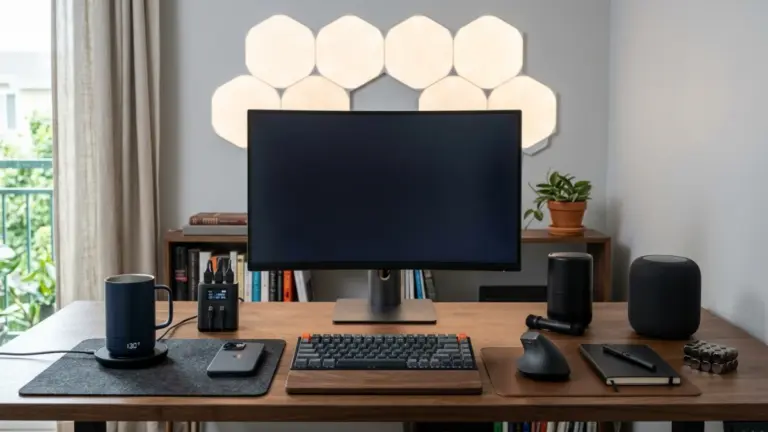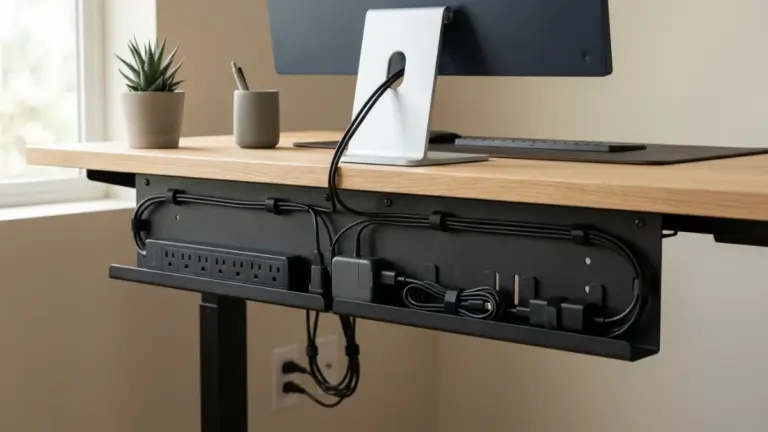
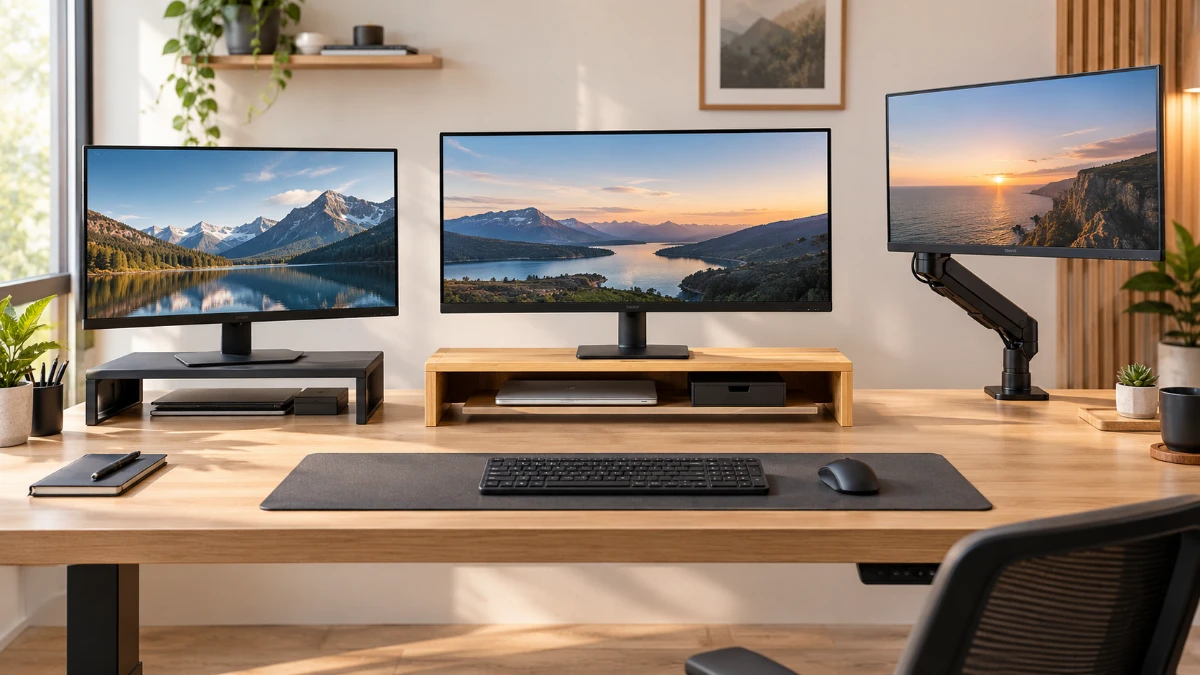
Choosing the right monitor stand improves ergonomics, saves desk space, and keeps your workspace organized. This guide compares fixed risers, desk shelves, and adjustable monitor arms, covering stability, weight capacity, dimensions, VESA compatibility, and price. Measure your monitor and desk before buying, then choose a stand that matches your setup, workflow, and future needs.
A monitor stand looks like a simple product. It lifts a screen and frees some desk space. Yet this small purchase shapes your posture, your focus and your daily comfort. In fact, buyers who pick the wrong stand often regret it within a week.
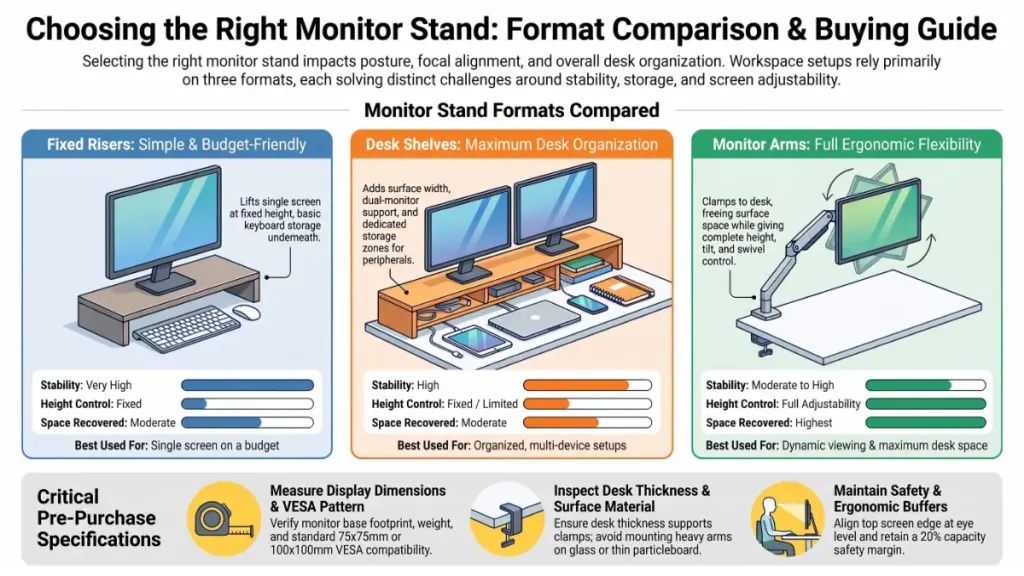
Today, the market offers three main formats. Fixed risers raise a single screen by a set height. Desk shelves add width and storage, and some support two monitors. Monitor arms attach to the desk and give full control over height, tilt and rotation. Clearly, each format solves a different problem.
The stakes are real. Remote professionals spend six to ten hours a day at a screen. A display that sits too low pulls the neck forward. Meanwhile, a cluttered desk slows every task. Likewise, a wobbly stand distracts you all day. Small errors repeat thousands of times per month.
What This Guide Covers
This guide helps you choose between the three formats. It explains how to measure your desk, how to read weight ratings and how to judge stability. Moreover, it compares the trade-offs in cost, flexibility and desk footprint. As a result, you will leave with a decision framework rather than a list of random products.
The good news is that most buyers can solve their problem with a modest purchase. A single monitor on a small desk rarely needs a complex system. By contrast, a two-monitor developer desk has different needs. A laptop-and-monitor combination has its own logic too.
Our editorial goal is simple. We want you to buy once and buy right. Therefore, start with your measurements, not your budget. Then match the format to your workflow.
We also flag where manufacturers stretch their claims. Weight ratings, compatibility lists and “fits all monitors” labels deserve skepticism. Consequently, you can read any product page with confidence by the end.
Strategic Context & Why It Matters
How Remote Work Changed the Desk
Hybrid and remote work changed what a desk must do. A decade ago, many people used a desk for a few hours. Now, the same surface serves as an office, a meeting room and sometimes a creative studio. Because of that shift, every centimeter has more value.
Who Benefits Most
Three groups gain the most from a good stand.
Remote professionals gain posture and focus. Raising the top edge of the screen to eye level reduces neck strain. Indeed, many ergonomic guidelines place the top of the display at or slightly below eye level. Unfortunately, most monitors ship with bases that sit too low for that goal.
Developers and analysts gain screen space. They often run two displays, so they need stable surfaces for heavy panels. A wobbly platform ruins long coding sessions. In addition, these users value clean cable routing because they swap devices often.
Creators and gamers gain organization. They own more peripherals, such as microphones, drives, controllers and lights. For that reason, a shelf or tray system keeps those items within reach without crowding the keyboard.
How Workflows Change
The workflow changes are concrete. A riser lets you slide your keyboard under the screen when you do not type. That frees a strip of desk for notes. Similarly, a shelf separates the “display zone” from the “work zone.” An arm goes further and removes the monitor base entirely.
Who Loses Out
Who loses? Buyers who purchase on appearance alone. A beautiful stand that blocks your keyboard depth is a poor stand. Likewise, a premium shelf that overwhelms a 100 cm desk is a poor shelf.
Cost matters as well. Many people overbuy. They pick a large shelf for a single 24-inch monitor and never use the extra width. Others underbuy. For example, they choose a cheap riser and then find it cannot hold a 32-inch display safely.
Finally, consider longevity. Your monitor will change, and your desk may change too. An arm with standard VESA mounting survives those changes. A fixed riser sized for one monitor may not. So think about the next two or three years, not only today.
The practical takeaway: define your problem before you shop. Do you need height, space, storage or adjustability? One clear answer narrows the field quickly.
Deep-Dive Technical Specifications
Size, Weight and Height
Specifications decide whether a stand works. First, consider the footprint. Measure the width and depth of your monitor’s base. The stand surface must hold that base fully. Never let a base hang near an unsupported edge. For dual-monitor setups, add both base widths and leave room for the gap between them.
Next, check weight capacity. Manufacturers publish a maximum load. Compare it with your monitor’s actual weight, then add anything else on the shelf, such as a speaker or a router. However, do not treat capacity as a license for more screens. A higher rating does not prove that two monitors fit by width.
Height also matters. Fixed risers raise the screen by a set amount, often around eight to twelve centimeters. Therefore, check your current eye line first. If the screen already sits near eye level, extra height may hurt.
Mounting and Build Quality
Monitor arms attach through the VESA pattern on the back of the display. The two common patterns measure 75 × 75 mm and 100 × 100 mm. Some monitors, especially curved or ultra-thin models, lack standard mounting points. In that case, you need an adapter kit or a stand.
Arms use gas springs, mechanical springs or fixed joints. Gas-spring arms move smoothly and hold their position. Fixed arms stay put but offer less freedom. Also, check the listed weight range, because a spring arm can sag or lift when the load sits outside it.
Arms clamp to the desk edge or pass through a grommet hole. Clamps need a solid edge and enough thickness. Glass desks and thin particleboard can fail, so compare your desk thickness against the clamp range.
Material choice affects both looks and strength. Steel gives rigidity. Aluminum reduces weight and looks clean. Bamboo and wood add warmth but may flex under heavy loads. Plastic parts at stress points deserve scrutiny.
Extras That Improve Daily Use
Several smaller features add real value. Cable channels, clips and open backs keep wires tidy. Rubber feet prevent sliding, and wide bases resist tipping. Meanwhile, cross-bracing limits sag in long shelves.
Some systems accept add-ons such as drawers, trays or docks. These help growing workstations. On the other hand, they lock you into one ecosystem, which affects long-term cost. Laptop risers add one more concern: they should expose the underside for ventilation.
Use this quick checklist before any purchase:
- Monitor base width and depth
- Monitor weight and VESA pattern
- Desk width, depth and thickness
- Number of screens
- Desired height gain
- Storage and accessory needs
Performance, Benchmarks & Evidence
Five Practical Tests
Stands do not have benchmark scores. Instead, evidence comes from measurable criteria. We recommend scoring any candidate against five tests, which give you comparable data across brands.
Test one: stability. Place your real monitor on the stand and type firmly for a minute. Watch for shake. Heavy typists and standing-desk users should test again while the desk moves, since standing desks amplify wobble.
Test two: ergonomic fit. Sit in your normal position and check that the top of the screen sits near eye level. Your viewing distance should land around 50 to 70 centimeters for most monitors. If you tilt your head back, the screen sits too high.
Test three: space recovered. Measure the clear desk area before and after installation. A riser with open space underneath can return usable surface. An arm can return even more. A bulky shelf, however, may reduce space instead.
Test four: adjustment range. For arms, move the screen through its full range. Confirm that the arm holds position at each point, because cheap arms often drift.
Test five: cable and port access. Plug in every cable you use. None should bend sharply. In addition, make sure you can reach ports without removing the monitor.
How the Three Formats Compare
| Criterion | Fixed riser | Desk shelf | Monitor arm |
|---|---|---|---|
| Stability | Very high | High | Moderate to high |
| Height control | Fixed | Fixed or limited | Full |
| Desk space recovered | Moderate | Moderate | Highest |
| Storage | Underneath | Underneath, wider | None |
| Installation | None | None | Clamp or grommet |
| Dual-monitor fit | Rare | Some models | Yes, with dual arms |
| Best for | Single screen | Organized desks | Adjustability |
The evidence points to a clear pattern. Simplicity wins on stability, while flexibility wins on ergonomics. Storage favors shelves. Thus, no format wins every category, and the right answer depends on your desk.
Real-World Scenarios
Consider two typical cases. A writer with a single 27-inch monitor on a 120 cm desk needs height and a place for a keyboard. A fixed riser handles this well. By contrast, a developer with two 27-inch monitors needs width, stable support and independent positioning. A dual arm or a wide shelf fits better.
Weight evidence matters too. A 27-inch monitor often weighs five to seven kilograms with its base. Many 32-inch models weigh more, and ultrawide displays can exceed eight kilograms. Always verify the number on your own spec sheet.
User feedback also supplies data. Read reviews for repeated complaints. A single complaint proves little, but ten similar complaints about sagging shelves or loose clamps prove a lot.
Pricing, Licensing & Availability
Typical Price Ranges
Prices vary widely, but the ranges below reflect typical market positioning. Please confirm current prices before you buy.
- Basic fixed risers: roughly €15 to €40, suited to light monitors and tight budgets
- Desk shelves with storage: roughly €40 to €150, with larger or modular systems costing more
- Single monitor arms: roughly €30 to €120 for solid mid-range models
- Dual arms and premium gas-spring arms: roughly €80 to €250 or more
- Laptop risers and docks: roughly €20 to €80
Cost rises with materials, adjustability and brand. For instance, aluminum and steel cost more than plastic. Gas-spring arms also cost more than fixed ones. In addition, modular ecosystems add accessory costs over time.
Value depends on use. A €30 riser that fits your setup beats a €150 shelf that overwhelms your desk. Conversely, a €100 arm that clears your whole surface may beat three cheaper accessories.
Availability, Warranty and Where to Buy
Most brands sell through their own websites and large marketplaces. Some offer free shipping above a spending threshold, which matters for European buyers. However, delivery region changes shipping costs and customs, so check it early. Confirm the return window as well. Fourteen days is common, and thirty days is better.
Look for warranty coverage of at least one year on mechanical parts. Arms with springs and joints deserve longer coverage because they wear over time. Hardware has no software license. Still, ecosystems act like soft lock-in, so weigh that before you commit to a modular shelf system.
Compare at least three sellers. Check that listed dimensions match the product photos, and read the specification table, not only the headline. If a product page omits weight capacity or dimensions, treat that as a warning. Finally, watch for seasonal sales, since many retailers discount desk accessories around major shopping events.
Industry Implications & Competitive Analysis
Three Competing Philosophies
The desk accessory market has matured. Ten years ago, buyers chose between a plastic riser and a basic arm. Today, three philosophies shape the field.
The minimalist riser. These products focus on one job: they lift a screen and hide a keyboard. They win on price, stability and simplicity. Because many brands sell nearly identical versions, differences come down to materials and finish.
The organized desk system. These brands sell shelves, trays, drawers and docks as a coordinated set. Spacet, for example, pursues this approach with monitor stands, shelves and modular accessories. The appeal is a consistent look and a shared mounting logic. The trade-off, however, is ecosystem dependence and higher total spending.
The adjustable arm. Established ergonomic brands dominate here. They compete on spring quality, weight range and clamp design. Their products cost more, but they offer the most control and clear the most desk space.
In short, risers beat the others on simplicity because they need no tools. Arms beat them on flexibility. Systems beat both on organization.
Market Trends to Note
Hybrids are gaining ground. Some shelves now include cable channels and accessory rails, while some arms include USB hubs. Brands copy each other quickly, so the gaps narrow each year.
Standing desks also affect the market. As more people use sit-stand desks, buyers demand lighter stands that survive movement. Arms gain an advantage here because a clamped monitor stays steady during height changes. Shelves, meanwhile, must prove they will not shift.
Multi-device work adds another trend. Many professionals use a laptop beside a monitor, which boosts demand for laptop risers and vertical docks. Sustainability enters the conversation as well. Buyers increasingly ask about recycled aluminum, bamboo and repairable parts, yet few brands document this well.
Overall, the implication for buyers is positive. Competition drives better materials and lower prices. We advise readers to compare specifications, not slogans, and to treat brand ecosystems as optional.
Limitations, Caveats & Skepticism
Specification and Compatibility Risks
Every buying guide has limits, and this one is no exception. First, manufacturer claims vary in reliability. Weight ratings come from the maker, not an independent lab. Some brands test conservatively, whereas others stretch. Therefore, leave a safety margin of at least twenty percent.
Second, compatibility lists can mislead. A claim such as “fits monitors up to 32 inches” refers to diagonal size, not base footprint. Two 32-inch monitors can have very different bases and weights. Compare physical measurements instead.
Third, dual-monitor support is not automatic. A shelf may carry the weight of two screens but lack the width. The reverse also happens, so confirm both width and load.
Practical and Personal Caveats
Fixed height cannot adapt. If you expect to change screens, consider an arm. Arms, however, need a suitable desk. Thin, glass or hollow desks may not support a clamp, although reinforcement plates help in some cases.
Ergonomics is personal. General rules, such as eye-level alignment, help most people. Still, your height, vision and posture may call for something different. If you have pain, consult a qualified professional rather than relying on a product to fix it.
Price ranges and reviews also carry risk. Currency shifts, taxes and promotions will move the figures here. Moreover, marketplace reviews can include incentivized or fake feedback, so favor detailed reviews with photos.
Finally, this guide offers analysis and frameworks. It does not replace hands-on trials with your own equipment. For that reason, buy from sellers with generous return policies. Measure twice, verify specifications and keep your receipt.
Future Outlook & Conclusion
What to Watch Next
The monitor stand market will keep evolving. First, expect more integrated accessories. Shelves and arms will add power delivery, USB connectivity and cable routing as standard features. Second, lighter materials will hold heavier panels. Third, sit-stand compatibility will gain attention as standing desks keep growing. Fourth, sustainability claims will become clearer.
Display trends will shape demand too. Ultrawide and large-format monitors keep growing in popularity, and they need wider, stronger support. Meanwhile, portable second screens grow among travelers and laptop users, which creates demand for compact stands.
So what should buyers track? Look for brands that publish independent load tests rather than only ratings. Pay attention to warranty length, since it signals confidence. Also follow how modular systems handle backward compatibility.
Final Recommendation
Choose a fixed riser if you use one monitor, want simplicity and care about stability. Pick a desk shelf if you want organization, storage and a coordinated look. Go with a monitor arm if you need frequent adjustment, want maximum desk space or plan to upgrade displays.
Whatever you pick, begin with measurements. Record your monitor’s base, weight and mounting pattern. Then measure your desk’s width, depth and thickness. Decide which problem you want to solve, and match the product to it.
A good stand disappears into your workday. It holds your screen steady, keeps your neck neutral and gives your desk room to breathe. That quiet benefit is worth more than any feature list. Buy with care, test at home and enjoy a better workspace.